
GPT-6 Astra and Blender: How People Are Actually Building 3D Scenes
Blender became the breakout use case of the GPT-6 Astra launch. How the workflow really works (it writes Python, not clicks), the four ways to connect it, the prompt recipe behind the best demos, and where the output falls apart.
GPT-6 Astra and Blender: How People Are Actually Building 3D Scenes
Within 48 hours of GPT-6 Astra's launch, one use case took over the timeline and it was not coding, or research, or spreadsheets. It was Blender.
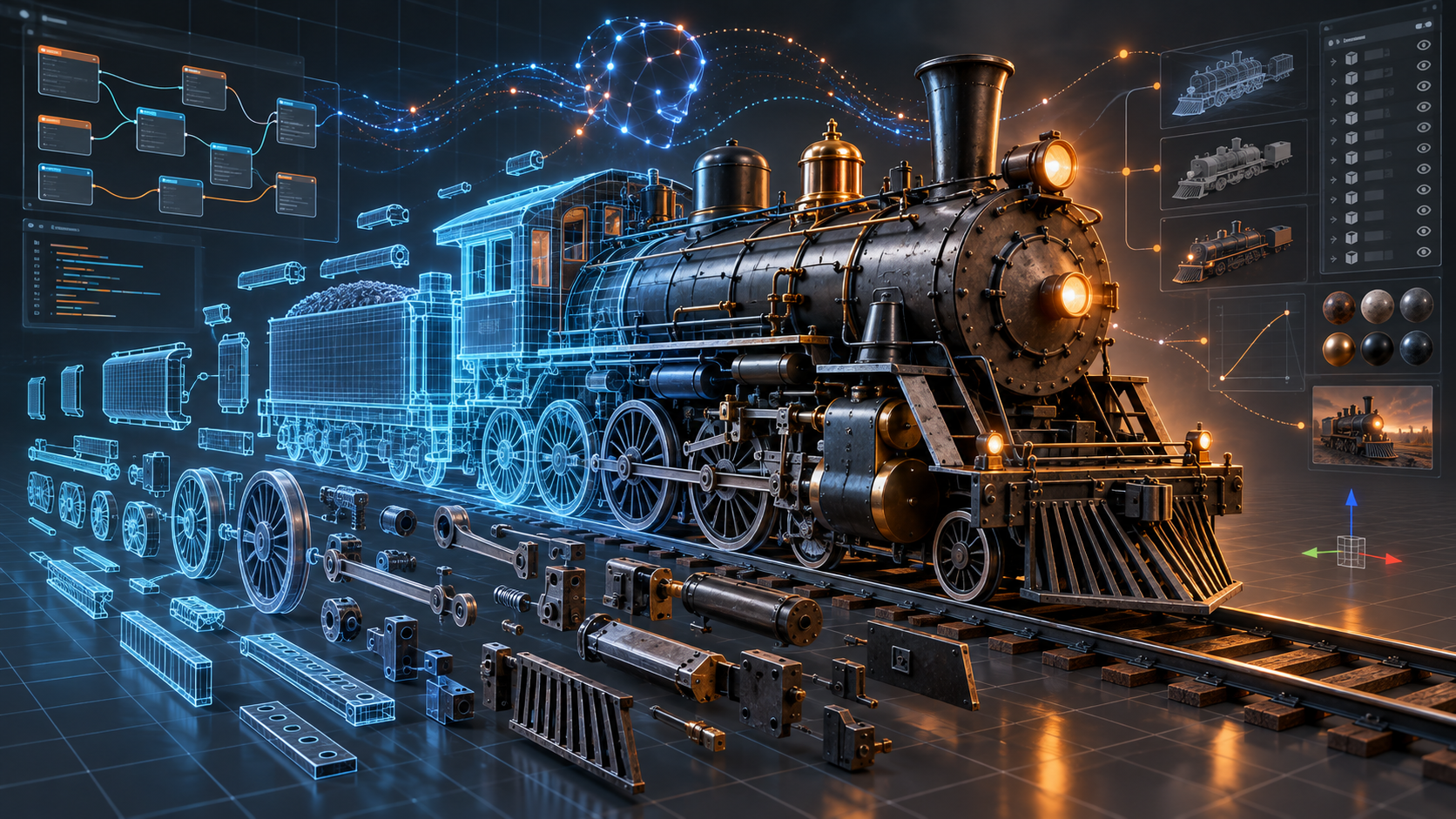
Tom Krcha handed Astra an old drawing of a steam train and asked it to rebuild the locomotive in Blender. A few minutes later he had 3,295 fully editable objects with clean geometry. That post did 2 million views. Thomas Ricouard took a Blender scene into Unreal Engine 5 as a walkable house: 2.8 million views. Someone rebuilt an entire home bar from photos, down to the chair in the corner and the loose wires. Peter Gostev made a 3D Craig Federighi. One Chinese creator noted that Blender's download numbers spiked alongside the hype.
So what is actually happening here, how do people wire it up, and how much of it survives contact with a real project? Here is the practical version.
The Thing Most People Get Wrong
The obvious assumption is that Astra is sitting there clicking Blender's buttons like a person. That is the "computer use" pitch, after all.
Mostly, it is not doing that.
Astra writes Blender Python (bpy). It plans the scene in code, executes it, renders a test frame, looks at the render, notices what is wrong, and rewrites the code. The 3D artist 歸藏 (@op7418), who produced some of the most-shared Blender results of the week, said it plainly: the work ran on bpy and the Blender MCP bridge, and Computer Use was barely involved.
This matters for two reasons. First, it explains why the output is genuinely editable rather than a mesh blob: Astra is authoring named objects with real dimensions, the same way a technical artist scripting a scene would. Second, it explains the failure modes. A model writing code it cannot fully see the result of will float furniture above the floor, intersect geometry, and break texture paths — and it only catches those when it renders and looks.
One nice detail from an early demo: 0xMarioNawfal reported Astra built a full 3D scene in one prompt in 25 minutes, and along the way detected Blender installed on the Mac without being told, then chose to use it instead of generating everything procedurally.
Four Ways to Connect Astra to Blender
| Route | How it works | Best for |
|---|---|---|
| Manual script | Astra writes Python, you paste it into Blender's Text Editor and run it, then share screenshots back | Trying it today with zero setup |
| Local Codex agent | Codex with Astra runs scripts, reads logs, and inspects saved previews on its own | The practical default for most people |
| Computer Use | Astra drives the Blender UI directly | Demos; UI dialogs interrupt real work |
| Blender MCP | A third-party MCP server keeps a live conversation with a running Blender session | The setup behind most of the impressive results |
The combination that shows up again and again in the good demos is Codex + Blender MCP. It gives the model a live session it can query and modify, rather than a one-way pipe of scripts.
The Recipe That Produced the Best-Looking Results
The most repeated workflow on X came from Anshu, who one-shot a 3D game in 45 minutes for a couple percent of a quota. It got relayed and translated widely because the trick in it is not obvious.
Three steps:
1. Connect Codex to the Blender MCP, and paste in generated game concept art as the visual reference.
2. Have Astra use image generation to produce concept art in the target art style, then iterate the scene until in-game screenshots get as close as possible to those images. You can state the performance target directly — "hold 60fps" — as part of the brief.
3. Set reasoning effort to High.
Step two is the real insight. Left to itself, a language model has no strong opinion about what "good-looking" means in 3D. Give it a generated image as the target and you have converted an aesthetic judgment into a comparison task, which is something the model is genuinely good at. It renders, compares to the reference, and closes the gap.
歸藏 reported a similar structure with Astra plus Blender plus Godot: a complete 3D roguelike level with a day-night cycle, weather, modeling, textures, weapon switching, a skill system, and melee and ranged enemies — built using about 3% of a 20x quota allowance.
What People Actually Built
| Who | What | The notable part |
|---|---|---|
| @tomkrcha | Steam train from an old drawing | 3,295 editable objects, a few minutes |
| @Dimillian | Demo house, Blender to Unreal Engine 5 | Walkable scene from a static brief |
| @op7418 | Scene plus animation from one image | bpy plus Blender MCP, minimal Computer Use |
| @op7418 | 3D roguelike level with Godot | ~3% of a 20x quota |
| Anshu | One-shot 3D game | 45 minutes, image-gen used as the art target |
| @higgsfield_ai | Character pipeline | Concept art, textured model, import, retopologize, UV map |
| @Botan_cr | Rigging test | Tripo generated hair, head and body; Astra combined, rigged and set up cloth sim |
| Duncan Trussell | Backrooms scene | Five prompts, ~30 min to build, ~20 min to export, with VHS effects and sound |
| @dkundel | LEGO Golden Gate Bridge | Via BrickLink Studio, first version in about 10 minutes |
A crowd-sourced tally on GitHub logged 235 reported Astra use cases pulled from 21,435 tweets. The category breakdown is telling: architecture, interiors and environments (50) and playable games (45) sit far above everything else, with interactive 3D models and explainers third (33). The author is explicit that these are reports in tweets, not independently verified successes — a caveat worth keeping.
Where It Is Strong, and Where It Falls Apart
Strong: anything with hard geometry and a verifiable source. Architecture, interiors, environments, product shapes, mechanical objects, technical drawings with written dimensions. On BenchCAD, a CAD-reconstruction benchmark, Astra scores 95.9% versus 83.3% for its predecessor. The self-correction loop is real: it renders, spots problems, and fixes them.
Weak: organic form. Characters remain the soft spot. Rigging tends to produce rubbery deformation that needs manual correction, and character modeling generally still requires a lot of hand cleanup.
The recurring failure list, from a guide that ran controlled tests on Blender 5.2.1 LTS:
- Furniture floating above the floor, geometry intersecting itself
- Pink or missing textures from broken image paths
- Black renders because the camera is inactive or lights are disabled
- Exported materials that look different in the target viewer
- Rubbery deformation on rigged characters
None of these are exotic. They are exactly what you would expect from something writing scene code and checking its own screenshots.
A Prompt Pattern That Works
The single most useful habit is telling Astra to keep things as separately named objects, because that is what makes the result editable afterward rather than a frozen mesh.
A tested pattern from a drawing-to-3D walkthrough:
> "Use the attached reference and its written dimensions to build an editable Blender interpretation. Keep the body, wheels, hubs, roof panel, cameras, mast and accessories as separately named objects."
In that test — a rover built from a three-view technical drawing — the model produced 28 named mesh objects. Four subsequent dimensional edits (raising the mast from 0.36 m to 0.66 m, widening the mast head, lengthening the sample pod) all verified correctly in both the native .blend file and the re-imported GLB export, with the object count unchanged.
The limits of that same test are worth stating: no UV textures, no rigging, no collision meshes, and not production-ready for 3D printing or a game engine without more work. Also, the underside and rear of the object stayed unresolved, because the reference drawing did not show them. Astra does not invent what you did not give it.
Workflow Hygiene
Five habits that separate a usable session from a wasted afternoon:
1. Save the editable .blend before rendering. Renders are cheap to redo; a lost scene is not.
2. Use versioned filenames (v001, v002). You will want to go back.
3. Render small previews first — 960x540 is enough to make a decision. Save full resolution for the final.
4. Change one category at a time: geometry, then materials, then lighting, then camera. Changing three at once makes it impossible to tell what broke.
5. Verify every export by re-importing it into a fresh scene. Materials that look right in Blender often do not survive the trip.
What It Costs
Two separate meters, and people confuse them constantly.
Subscription route: Astra usage in ChatGPT and Codex comes out of your plan's allowance, not API billing. The reported quota consumption for full 3D scenes is lower than you would expect — a couple percent for a 45-minute build, around 3% of a 20x allowance for a full game level. But remember that OpenAI reportedly tightened Astra caps by up to 4x within days of launch, so treat any quota figure from launch week as a snapshot rather than a rule.
API route: $10 per million input tokens and $50 per million output. Long agentic Blender sessions accumulate real cost, because iteration is the whole method.
Render time is not AI time. A representative test frame took about 12 seconds at 1920x1080 with 16 samples. That number is your GPU, not the model. Do not budget for it as if you were paying OpenAI for it.
The Part the Demos Skip
Two things deserve skepticism.
Some viral results are not what they look like. One widely shared post showed a 3D website that disassembles the human body into 2,234 interactive pieces, credited to Astra. A Community Note pointed out that the 2,234 pieces come from BodyParts3D, a pre-existing MRI-based dataset built by experts — Astra built the React and Three.js viewer on top of that data, not the anatomy. That is still a real accomplishment. It is a very different accomplishment from the one implied.
Professional 3D artists are not impressed by the same things the timeline is. The criticism is consistent: flawed geometry, inefficient topology, output that needs substantial fixing before it enters a real pipeline, and understandable anger about work built on years of specific skill being framed as a 30-minute prompt. Both readings can hold at once — the speed is genuinely new, and the output is genuinely not finished.
There is also a structural point worth understanding. Astra is not a 3D generation model. Tools like native mesh generators produce a finished, watertight, textured mesh in about 90 seconds. Astra instead drives Blender for minutes to hours and hands you a native, editable scene file. Those are different products for different jobs: volume of assets versus depth of control inside a file you already have.
Beyond Blender
The same computer-use capability is showing up in places that have nothing to do with 3D:
- An airplane landing simulator in 30 minutes from one prompt, with accurate dimensions and real physics.
- Playable browser games in Three.js — one builder shipped a racing game by starting in Astra Pro's browser build, then pulling it local and polishing with Astra High.
- GitHub Copilot and VS Code, where Astra went generally available for long-horizon agentic coding on September 4.
- Analytics dashboards — one user pointed it at a SaaS app's events, had it log into PostHog, and got 33 insights across 3 live dashboards.
- LEGO models through BrickLink Studio.
- Historical simulations — Ethan Mollick asked for a grounded model of the Library of Alexandria and got the place rather than an essay.
The common thread is that none of these are questions. They are jobs, handed over with a goal and left running.
Frequently Asked Questions
Does GPT-6 Astra actually click around inside Blender?
Rarely. It mostly writes Blender Python (bpy), executes it, renders, and iterates on its own code. Computer Use exists but the strongest published results lean on scripting through the Blender MCP instead.
What is the best way to set it up?
Codex with Astra connected to a Blender MCP server. If you want to try it with no setup at all, have Astra write the Python and paste it into Blender's Text Editor yourself.
How do I get good-looking results instead of grey boxes?
Generate concept art in your target style first, give it to Astra as the visual reference, and have it iterate until renders match. Turning "make it look good" into "match this image" is the single highest-leverage move.
How long does a scene take?
Reported builds range from 25 minutes for a scene in one prompt to 45 minutes for a full one-shot 3D game, with a backrooms scene taking about 30 minutes to build plus 20 to export. Rendering time is separate and depends on your hardware.
Is it good at characters?
Not yet. Character modeling and rigging are the weakest area — rigging in particular tends to deform rubbery and needs manual correction. Hard-surface, architectural, and mechanical work is much stronger.
Can I use the results in production?
Not without cleanup. Expect to fix floating and intersecting geometry, broken texture paths, and material differences after export. Test outputs also came without UVs, rigging, or collision meshes unless specifically requested.
Does this replace 3D artists?
Not on the evidence so far. It compresses the boring first 80% of certain scene types dramatically, and it is unreliable exactly where craft matters most. The honest framing is a very fast, very literal junior technical artist who never gets tired and never checks its own work carefully enough.
Sources
OpenAI: GPT-6 Astra announcement
Blender with OpenAI Astra: complete guide and starter files
Drawing to editable 3D with Astra and Blender
Neural4D: GPT-6 Astra 3D modeling and the two roads to AI 3D
Astra 3D modeling experiments: exploded views, rigging, motion capture
Community tally of reported Astra projects and workflows
Browse the directory
Compare AI editors, agents, generators, and the wider toolkit that supports modern AI-assisted building.
Explore tools